

Industrial Autoclaves & Steam Sterilizers
Priorclave built our first industrial autoclave in 1988–and that sterilization equipment is still running reliably, more than 35 years later. What’s our secret?
Thoughtful design.
Priorclave removes every complexity that might become the source of an equipment problem: fewer moving parts to seize up; fewer seals to break; fewer sensors to fail; a time-tested chamber design; a rugged, flexible, fully programmable computerized control system.
The result: less water wasted, less electricity consumed, less time spent on maintenance and repair, greater value at lower cost.
Priorclave Steam Sterilizers: the Best Autoclave for Educational or Research Laboratory
Most autoclave sterilizers are steam-jacketed models that were developed for medical and dental settings. These designs have proven to be extremely wasteful in laboratory, educational, and research settings. Their high part count and finicky operation drive up costs and hamper flexibility. The result is a more expensive, less efficient industrial autoclave that spends more time offline for maintenance and repair.
Priorclave autoclave sterilizers are designed to help you spend more time and budget on your work, and less on your lab equipment. From the start, our sterilizers have been optimized for robust laboratory and industrial use: one to five cycles per day, with extremely flexible programming parameters, able to maintain reliable high-temperature operation for prolonged periods without sacrificing on daily utility. Priorclaves are especially well suited to daily media preparation and waste loads, lab glassware sterilization, quality assurance, and destruction/shelf-life testing.
Priorclave steam sterilizers are uniquely durable and reliable for research.
They last longer, are more easily repaired, and are infrequently offline for maintenance and repair. We build all our autoclaves with touches—like hinged (rather than sliding) doors and cross-contamination fighting Biomaster coatings—that increase ease-of-maintenance and durability.
Priorclave laboratory autoclaves are especially efficient.
When the University of Alabama at Birmingham compared their steam-jacketed autoclaves and non-jacketed Priorclaves side by side, they found that jacketed autoclaves used in excess of 30 times more water—with no corresponding benefit. In the field, Priorclave autoclave operating costs have been documented at more than 80% lower than operating costs for same-capacity, same-capability jacketed autoclaves.
Priorclave industrial autoclaves are flexible.
Because Priorclaves were designed for general lab and industrial use—not narrow medical applications—they have an extremely open design and control system. This has proven extremely useful for research and development, accelerated aging, and labs doing innovative work for which “off-the-shelf” tools have yet to be built.
Priorclave steam sterilizers use a programmable control system to reduce human error.
Every model—from the smallest benchtop to the largest custom pass-through—comes with the same robust programmable control system. Tactrol Custom Control makes it simple to create custom cycles that still permit for a one-button start. With multiple levels of user access and options for separate lab tech and intern/student programs, Tactrol allows for all kinds of laboratory use.
Priorclave stands by our autoclave sterilizers.
Our industrial autoclaves have a three-year limited parts and labor warranty, a 20 year pressure vessel warranty, and unlimited technical support. We also support an international authorized service agent network.
Steam Autoclaves


Get Pricing for Your Perfect Autoclave Fast
Receive a custom quote that fits your requirements, application and environment.
An Efficient Autoclave for Every Lab
Priorclave is pleased to continue to offer three ranges of autoclaves, each customizable to meet the unique demands of any lab without compromising on the fundamentals: safety, reliability, and sustainability.
- The Base range covers “the basics”—standard lab work (including media preparation), waste loads, and the like. These autoclaves are available in many sizes and configurations, ranging from small benchtop models to large pass-through autoclaves, as well as top-loading models.
- The Smart range of sterilizers are vacuum-equipped for greater flexibility. They can handle autoclave sterilization of a wider range of loads (including mixed loads), produce drier loads, and offer expanded programming functions. These are available in front-loading, top-loading, and pass-through configurations, sized for any lab.
- The Performance range are mid-sized and larger sterilizers optimized for “power users.” All models are vacuum-equipped and ready to handle more load types, more loads per day, and produce dryer loads more quickly.
Currently, there are more than 70 standard Priorclave autoclave models to choose from. Every model, from the smallest benchtop to the largest custom pass-through, incorporates the very latest version of our fully programmable and customizable Tactrol Control System, developed by Priorclave for precision programming of sterilizing cycles and one-touch operation (maximizing flexibility while minimizing the potential for human error).
The Tactrol Control System: Simplify Lab Systems & Sterilization Processes
All Priorclaves are built standard with the same robust programmable control system, Tactrol. Without sacrificing the simplicity and error-resistance of a “one button start,” Tactrol supports multiple levels of user access, individualized programs, and the option of password protected settings.
Researchers especially appreciate Tactrol’s preset Delayed Start and Media Warming features. Growth media can be prepared overnight and kept ready-to-pour when you arrive the next morning–without risk of thermal degradation, caramelizing high glucose media, or liquid boil-overs.
Nonetheless, this flexible programmable control system gives you direct access to precise and accurate temperature and pressure control, customizable pressure and temperature ramps, detailed process logging, automatic cycle repeat, pauses between cycles, air ballasting and vacuum stages (with optional vacuum and ballast features) and more.
High Heat & Pressure Sterilization Equipment Designed for Your Industry
There is one way to be sure that your laboratory autoclave will perform to your specifications: Have it built to your specifications. Every Priorclave steam autoclave begins with a conversation. Our team explores your sterilization needs and helps you determine the right configuration of the right autoclave model for your tasks, facilities, and material requirements. Then, that steam sterilizer is built by hand in our London factory. Priorclave is one of the very few industrial autoclave manufacturers in the world that retains complete control of its supply chain by manufacturing all principal components in-house–including the 316L stainless steel pressure vessels and programmable control systems.
Education & Academia
Food & Beverage
Health & Personal Care
Test Laboratories
Life Science & Pharmaceutical
Veterinary Use
Agriculture & Environment Research
Government Agencies
Manufacturing & Industry
Find
Find the perfect autoclave fast.
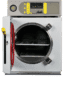
Why Us?
Why is Priorclave the right choice?

No Pressure—Just the Best Service & Support for Your Lab’s Steam Sterilizer
We back our quality construction and reliable design with the best support program of any industrial autoclave or steam sterilizer supplier: Priorclave North America offers a 36-month limited parts and labor warranty, a 20-year stainless steel pressure vessel warranty, unlimited free lifetime technical support, an international network of factory-certified authorized service agents (ASAs)–and greater than 90% customer satisfaction. Priorclave North America has a simple goal: we aim to provide schools, researchers, and innovators with the steam sterilization equipment they deserve—
Reliable. Flexible. Programmable. Affordable. Safe.
But most importantly, we want to give you the Support you need to get your laboratory work done. Wherever you are, we’re just a phone call or mouse click away.
News & Updates


Brazil is the Biotech Powerhouse We Need Now More than Ever

Is it OK to Reuse Pipette Tips?

Three Shortcomings of ‘Cold Sterilization’ for Mushroom Substrate
Trusted All Over the World


